Booking.com: Hotels & Travel
- 4.8
- Rating
- 500.00M
- Installs
- Free
- Price

 Analysis by App-foxy
I use Booking.com: Hotels & Travel when I want to turn a vague trip idea into something I can actually book. It is a travel app from Booking.com Hotels & Vacation Rentals, and its main strength is bringing accommodation planning into a single, familiar search process. I can look for a room, compare options, check the practical details, and keep the reservation available on my phone instead of moving between several unrelated services.
That convenience sounds simple, but it matters most when a trip is changing quickly. A late arrival, a new destination, or a sudden need for one extra night can make travel planning feel like administrative work. In my experience, this app is at its best when I need a broad choice of places and want to make a decision without opening a dozen browser tabs. It is free, aimed at everyone, and belongs in the Travel & Local category, although the usefulness depends heavily on how carefully I read each listing.
How the app feels in its current form
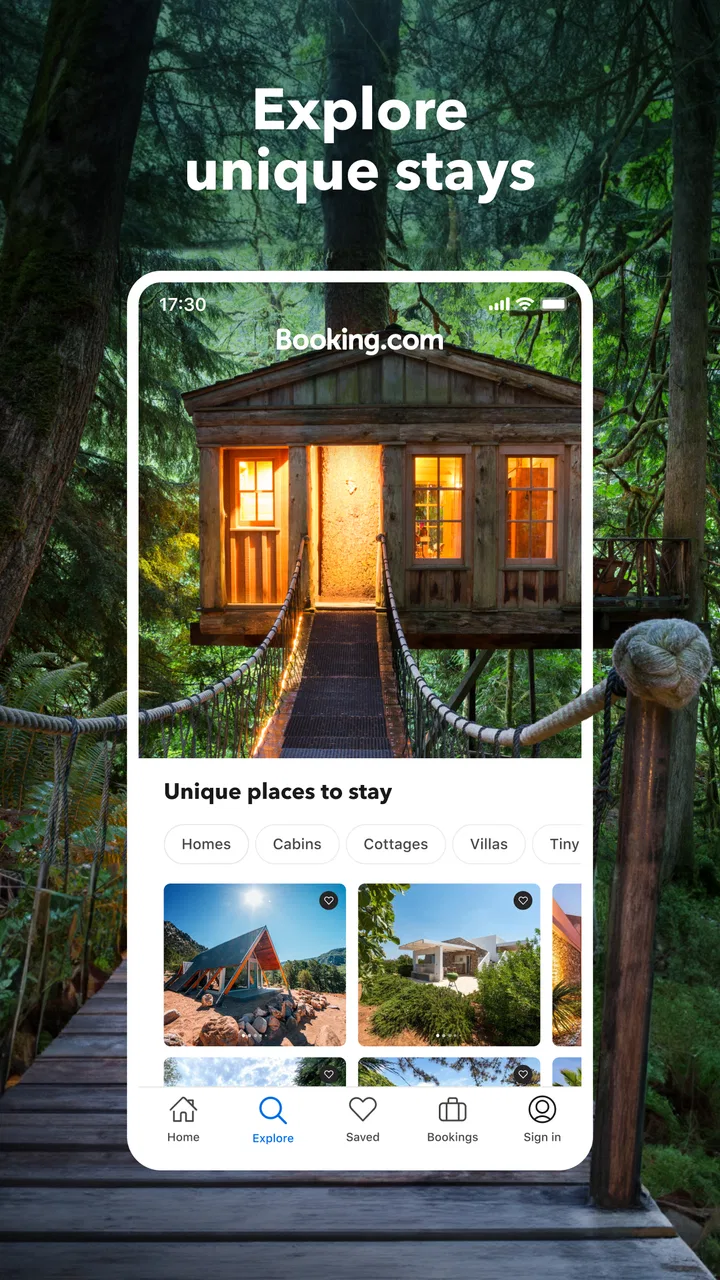
The current experience is built around search rather than inspiration. I start with a destination, travel dates, and the number of guests, then narrow the results according to the kind of stay I need. That makes it especially practical for people who already know where they are going. If I am still deciding between several cities, the app can help me compare possibilities, but it does not replace thoughtful research about neighborhoods, transport, or the character of a destination.
You May Also Like

 AccuWeather: Weather Radar
AccuWeather Review: A Quick, Clear Forecast for Everyday Decisions
For everyday plans, the best forecast is the one you can understand quickly. AccuWeather makes rain timing, radar, and local conditions easy to act on, with a few trade-offs.

 Hill Climb Racing
Why Hill Climb Racing Still Turns Crashes Into One More Run
A tiny car, a bumpy hill and one more upgrade: Hill Climb Racing keeps resurfacing because its simple chaos makes every near-miss feel personal.

 AliExpress - Shopping App
AliExpress Makes Global Shopping Feel Personal, but Shoppers Bear the Risk
AliExpress turns a global marketplace into a pocket-sized discovery engine. Its reach is useful, its shopping loop compelling, and its trade-offs easy to miss.

 Lords Mobile: Kingdom Wars
Lords Mobile Is a Kingdom-Building Routine, Not a Quick Match
A case-by-case verdict on the building, battles, device demands, and social commitments that make Lords Mobile rewarding for some players and exhausting for others.

 PDF Scanner app - TapScanner
TapScanner Makes Paperwork Easier to Capture, Check, and Share
TapScanner makes scanning with a phone feel less like a rescue operation and more like a dependable step in getting work done. Its capture tools are useful, though not flawless.

 Block Blast!
Block Blast! Shows How Much a Puzzle Game Can Leave Out
A quiet grid game shows why puzzle players increasingly value instant clarity, repeatable skill and low-pressure play—and where the genre still needs to catch up.
More From Our News Desk
View All News


The result screen is where the service earns its place on my phone. A large number of choices can be useful, but it can also become tiring. I have to decide which filters genuinely matter: a private bathroom, a particular property type, a certain location, or flexible cancellation. Choosing too many filters can hide suitable options, while choosing too few leaves me sorting through rooms that look similar at first glance. My advice is to begin with the two or three conditions that would make a stay unacceptable, then refine the list only after seeing what the destination offers.
Photos are helpful for forming an initial impression, but I never treat them as the final word. I check the room description, the included facilities, the booking conditions, and the wording around the price before committing. A room can appear inexpensive until extra charges, breakfast choices, or a stricter cancellation condition change the real value. The most important habit is to compare the complete booking terms, not just the headline amount.
Reviews are another major part of the decision. I find them more useful when I look for repeated, specific comments rather than relying on one dramatic experience. Mentions of noise, room size, cleanliness, check-in, or the walk to public transport tell me more than a general statement that a property was “nice.” I also pay attention to how recent the comments are and whether the issue described would actually matter to my trip.
The app has a strong reputation among travelers. It carries an average rating of 4.8 from around 5.5 million ratings, and it has passed 500 million installs. Those figures explain why it feels like a mainstream travel tool rather than a niche booking service, but popularity should not replace my own inspection of a property. A highly used platform can still contain listings that suit one traveler and disappoint another.
What the booking workflow does well
I like being able to move from broad discovery to a specific reservation without losing the basic context of the trip. When I am arranging a short city break, I can first look at location and availability, then return to the details that affect the final decision. This is less stressful than keeping separate notes for every hotel, particularly when several options have similar names or are located in different parts of the same city.
Another practical strength is the value of having reservation information in one travel-focused place. On the day of arrival, I want to check the property name, dates, address, and conditions quickly. A mobile booking experience is most useful at exactly that moment, when I may be carrying luggage, dealing with poor reception, or arriving later than planned. I still save essential details separately when a journey is important, but having the booking accessible in the app reduces the amount of searching I need to do.
For a realistic everyday example, imagine that I am traveling for a weekend and my train arrives after dinner. I would search for properties near the station or a reliable transport route, filter out places without suitable arrival arrangements, and read recent comments about late check-in. I would then compare the total conditions of two or three realistic choices instead of selecting the first attractive photograph. That workflow is faster than contacting every property individually, while still leaving room for a sensible check before payment.
Useful decisions that are easy to overlook
One of the best ways to use the app is to search with the trip’s least flexible detail first. If I am attending an event, the location may matter more than a small difference in room quality. If I am traveling with children, the room arrangement and practical facilities deserve priority. If I am arriving at night, access and check-in information are more important than a decorative lobby photo. This prevents the search from becoming a contest between attractive images.
I also compare the same property under different date combinations when my schedule allows it. A single night can produce a very different choice from a longer stay, and a small shift in dates may reveal a more suitable room or cancellation condition. I do not assume that the first result is the best match simply because it appears near the top. Search order is a starting point, not a personal recommendation from someone who knows my priorities.
A further tip is to inspect the final review pattern after narrowing the list. A property with many positive comments may still have a recurring weakness that only appears when I search for a particular concern. For me, this is especially useful for separating harmless personal preferences from problems that could affect sleep, accessibility, cleanliness, or arrival. It turns the review section from background decoration into a targeted research tool.
What has changed and how that affects regular users
Booking.com: Hotels & Travel has been available since February 4, 2011, so it is not a new experiment in mobile travel. Its long presence is noticeable in the way the app treats booking as an ongoing process rather than a single search. I can approach it as someone planning ahead, but it is also designed for the less tidy reality of travel, where dates move, plans are revisited, and a reservation may need attention after it has been made.
The developer is listed as Booking.com Hotels & Vacation Rentals, which reflects the app’s focus on accommodation-led travel planning. The store summary presents it as a way to book an entire trip in one app, but I think that promise needs a practical interpretation. It is strongest as a central place for lodging research and reservation management. I would not use it as my only source for transport planning, local safety research, or deciding whether a neighborhood fits the way I want to spend my time.
For existing users, the biggest benefit of this mature approach is familiarity. Once I understand where the filters, property details, and booking information sit, I can repeat the process for another destination without learning a completely different system. That matters when I am planning several stays in one journey. I can use the same checklist each time: location, room type, cancellation, arrival, total cost, and recent comments.
The trade-off is that a broad travel marketplace can feel busy. More choice does not automatically mean less work. I still need to distinguish between a room offered by a large hotel, a smaller property, and a vacation rental, because the expectations around reception, cleaning, check-in, and support can be very different. The app helps me find these options, but the responsibility for matching the accommodation style to my trip remains mine.
This is also where it differs from the usual alternatives. A hotel chain’s own app may be better when I already know the brand, want its loyalty benefits, or need a very specific property service. A map app may be better for understanding the street layout and nearby transport. A vacation-rental specialist may offer a more focused browsing experience for homes and longer stays. Booking.com: Hotels & Travel is more useful when I want one broad marketplace and do not want to limit myself to a single chain or accommodation format.
I would also distinguish it from contacting a property directly. Direct communication can be valuable for unusual requests, complicated arrivals, or questions that require a personal answer. The app is more efficient for comparing availability and formal booking conditions, but it cannot remove the need to contact a property when the details are important and unclear. I treat the platform as a powerful organizer, not as a substitute for every conversation.
Where the experience still needs care
The main friction is information density. Two listings can use similar language while offering materially different conditions. A flexible-looking option may have a deadline, a room described as suitable for several guests may use a tight sleeping arrangement, and a central location may mean considerable street noise. I find that the app rewards patient reading, which is not always what I want when I am booking from an airport or during a busy workday.
Price comparison also requires discipline. I look beyond the first amount shown and continue through the booking flow far enough to understand what is included and what conditions apply. I do not assume that the cheapest visible result is the cheapest practical stay. A slightly more expensive room with a better location, clearer arrival process, or more useful cancellation terms may be the sensible choice, especially when changing plans would otherwise create stress.
Another limitation is that marketplace breadth can make quality uneven from one destination to another. The app gives me access to many properties, but the standard of description, photography, and communication can vary. That is why I prefer listings with detailed information and a consistent body of relevant reviews. When a property page leaves basic questions unanswered, I see that as a reason to slow down or choose a clearer alternative.
Users may also wonder whether the app is suitable for family travel or group trips. My answer is yes, provided the search begins with the actual sleeping arrangement and not merely the number of guests. I check whether the listed room accommodates everyone in one space, whether separate rooms are required, and whether the facilities fit the group. For a larger party, I compare the total arrangement rather than assuming that one attractive listing will solve everything.
For business travel, the app can be convenient when I need a quick stay near a meeting location, but I would still verify the address and arrival timing carefully. A property that looks close on a broad city map may be inconvenient at rush hour. If a company requires particular invoices, payment handling, or accommodation standards, I would confirm those requirements before relying on the booking as a complete business-travel solution.
People who dislike comparing many options may find the app overwhelming. If I already have a trusted hotel brand, a direct booking channel may be quicker. If I want a highly curated boutique experience, a specialist service may offer more useful editorial guidance. I would skip this app when the breadth of the marketplace creates more decisions than value for me.
What I would watch before relying on it for every trip
I pay attention to how clearly a listing communicates changes that matter after booking: cancellation conditions, arrival instructions, room details, and any difference between the displayed option and the final reservation. These are not glamorous features, but they determine whether the app remains useful once a trip stops going exactly as planned. A good booking tool should help me understand what I have committed to, not merely help me click “reserve.”
I also watch how well the experience serves different accommodation types. A short hotel stay, a family apartment, and a multi-night rental each require different information. The more varied the inventory becomes, the more important it is for the app to make those distinctions obvious. As a user, I want to know what kind of arrival and support experience I am choosing before I pay, rather than discovering the difference at the destination.
My practical routine is simple: I shortlist a few properties, read the relevant review themes, check the map independently, inspect the complete conditions, and save the reservation details where I can reach them offline or quickly. That process takes longer than choosing the first result, but it makes the app much more reliable. The platform supplies the range; my checklist supplies the judgment.
Since the app is free, trying it does not require a purchase commitment. Its Everyone age rating also makes it broadly accessible for household trip planning, although the person making the booking still needs to understand the reservation terms. I would install it for a trip involving several accommodation choices, a destination I do not know well, or plans that may change. I would use a narrower alternative when I already know exactly which property or chain I want.
After using it as a general travel companion, I see Booking.com: Hotels & Travel as a capable, practical choice rather than a magic travel planner. Its scale, established presence, and broad accommodation search make it valuable when comparison is the hard part. The weak point is the same breadth: I must filter thoughtfully and read beyond the attractive surface of a listing.
My recommendation is therefore conditional but positive. If you want a single place to research and arrange accommodation across different kinds of trips, I think this app is worth keeping installed. Use it with a clear checklist, verify the details that affect your comfort, and compare the complete terms instead of chasing the lowest first impression. It works best when I use its range to make a careful decision, not when I expect the search results to make that decision for me.
FAQs for Booking.com: Hotels & Travel
01What is Booking.com: Hotels & Travel?
Booking.com: Hotels & Travel is a comprehensive app that allows users to search, compare, and book accommodations worldwide. It offers a wide range of options from hotels to vacation rentals. Additionally, users can manage their bookings, access exclusive deals, and explore travel destinations directly from the app.
02How reliable is Booking.com for booking accommodations?
Booking.com is highly reliable, with millions of verified reviews from real travelers, ensuring transparency and trust. The platform offers a Best Price Guarantee, and most accommodations provide flexible booking options, allowing users to cancel or modify reservations without additional charges under certain conditions.
03Does Booking.com offer customer support?
Yes, Booking.com provides 24/7 customer support through various channels, including chat, email, and phone. The support team is available to assist with booking issues, cancellations, and other inquiries, ensuring a seamless experience for travelers across different time zones and languages.
04Are there any hidden fees when booking through the app?
Booking.com is transparent about costs, showing the total price including taxes and fees before confirming a booking. While most bookings do not require additional fees, users should review the cancellation policy and any specific conditions that might entail extra charges, ensuring full clarity before completing a reservation.
05Is it safe to make payments on Booking.com?
Yes, Booking.com employs secure payment methods, safeguarding user data and transaction details. The app uses encryption technology to protect sensitive information, and users can choose from various payment options, including credit cards and PayPal, providing flexibility and peace of mind during the booking process.
Pros
- User-friendly interface for easy navigation.
- Extensive range of accommodations worldwide.
- Real-time booking confirmations.
- 24/7 customer support available.
- Secure payment options offered.
Cons
- Occasional app glitches during updates.
- Limited offline functionality.
- Some listings lack detailed descriptions.
- Frequent promotional notifications.
- Cancellation policies can be complex.

Booking.com: Hotels & Travel
Gallery